Mopet Studio
Create your own desktop pet called Mopet and share it with your friends or on the Steam Workshop. You can interact with your Mopet in various ways and right-click it to access special features.
Ekran Görüntüleri

Hakkında
Mognew’s Desktop Pet Studio lets you create your own Mopet!

Meet Mopet, a new desktop pet.
Mopet Studio lets you bring Mopets to your Windows desktop. You can interact with them in various ways, such as grabbing and petting them, and much more.
To hide a Mopet for a while, simply grab it and drag it to either edge of the screen. It will turn into a small ribbon. Unroll the ribbon to bring your Mopet back. Find a Mopet you like on the Steam Workshop, or create your own Mopet.

You can assign an action to perform when Mopet is right-clicked.
Talk: You can create up to 50 conversations for Mopet, each with its own responses and replies. You can also create portraits and assign them to conversations.
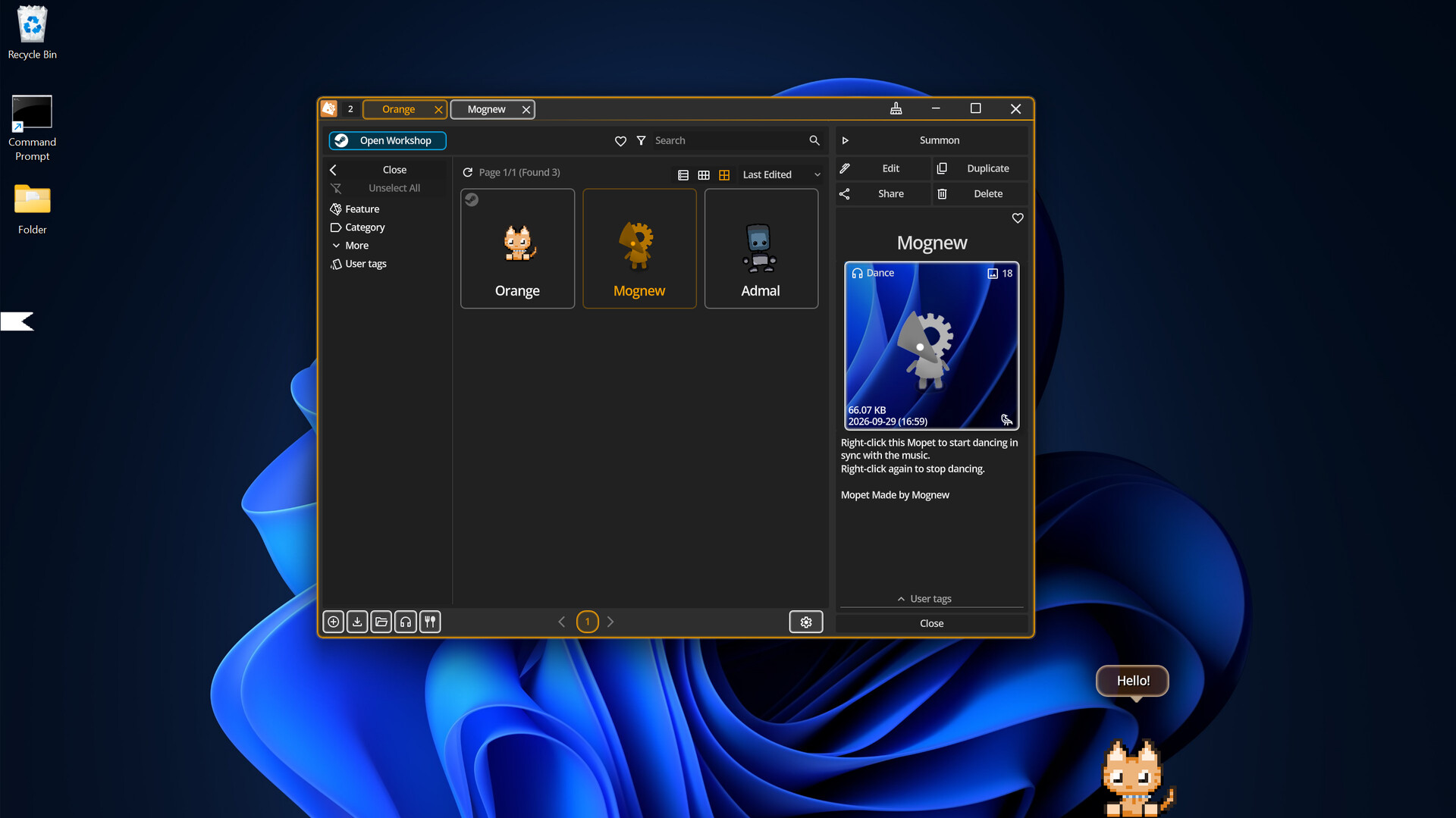
Dance: Mopet dances to the BPM of the music while it plays. Right-click again to stop.
Keyboard Detection: Starts detecting keyboard input. Mopet reacts whenever a key is pressed. Right-click again to stop detection.
In Mopet Studio, the default Mopet has the Talk feature and provides useful tips about the program.

Mopet Studio was designed to use minimal system resources. Its low CPU and memory usage helps it stay out of the way while you work.

Mopet Studio has built-in editor.
Mopets are made up of layers (up to 50). Each layer can be customized with settings such as resolution and edge softness and etc.
Use your mouse or tablet to draw on each layer. Pen pressure is supported.
Create animations with the Frame Editor and bring your Mopets to life.
Mopet is always saved as a single image file with no metadata.

Discover new Mopets every day for free on the Steam Workshop. Like or favorite the Mopets you enjoy.
Subscribe to a Mopet to summon it instantly.
You can upload your own Mopets to the Workshop, where you can receive likes and plays from other players.
Sistem Gereksinimleri
Minimum
- 64-bit işlemci ve işletim sistemi gerektirir
- İşletim Sistemi: Windows 10
- İşlemci: x86_64 CPU with SSE4.2
- Bellek: 1024 MB RAM
- Ekran Kartı: Support for OpenGL 3.3
- Depolama: 256 MB kullanılabilir alan
Önerilen
- 64-bit işlemci ve işletim sistemi gerektirir